
Getting started with GnuCOBOL. This section assumes a GNU/Linux install, but much of the COBOL material is platform agnostic. Command examples will be shown using bash inside a terminal console.
Attention
COBOL is a big programming language. There are thousands of details. This tutorial will gloss over many issues in order to try and focus on one or two key points without overwhelming the reader. What may be stated as “fact” is likely less than half the story. You will eventually learn enough COBOL to know where details were omitted during this introduction.
Working directory
For this tutorial, you will need a working directory to store source code, executables and data files. I use:
cd ~/lang/cobol/
A subdirectory in my login home, called lang/cobol. You are free to choose your own working directory. All you need to remember is that you need to remember where it is, so when you come back to the computer after a break you’ll be able to find your work.
Go ahead and create the directory, and/or change into it. For example:
cd $HOME mkdir gcfaq/tutorial cd gcfaq/tutorial
You can use that name, gcfaq/tutorial, if you like, but it is much better to pick your own easy to remember favourite. No one will be able to remind you, as it is a personal choice, so pick one you like and that you will be able to remember a few months from now if you ever need to come back for a refresher.
Hello
We will start with Hello. Of the four main COBOL divisions, this introductory sample only includes IDENTIFICATION and PROCEDURE. There are a few comment lines, some COBOL “paperwork” phrases and only two executable statements. We’ll compile and run the program as part of the exercise.
Fire up your favourite editor and type the following into a file called hello.cob. (That filename is the name that will be used throughout the rest of this tutorial, so if you pick a different name this time, you are on your own to remember what it is, and to change each of the commands to suit).
\*\>\*\> hello.cob, GnuCOBOL FAQ tutorial\*\>identification division.program-id. hello.procedure division.display "Hello, world"goback.end program hello.
There is a handy download link for that source code if you are browsing this on the web, but as a COBOL developer, you need to get used to typing. So learn some COBOL the hard way and start typing. I use vim, but you will want to use a text editor you are comfortable with. Text editing is a tool of the trade that you need to be comfortable using, and there are literally hundreds of choices.
Side trip on source code formats: Don’t fret these details, gloss over this next bit if you just want to get on with trying the compiler.
One note about spacing. COBOL uses two formats for source code. Old, FIXED format, harkening back to the days of punch cards, before interactive terminals. And new, FREE format. Old fashioned FORMAT FIXED is the default for the GnuCOBOL compiler, (because it is the default source format in all COBOL Standards so far, 1960 through COBOL 2014). The hello.cob example is in that fixed form. The first six columns are a special sequence number field, ignored by the compiler. Column 7 is a special indicator column. Compilable code starts in column 8. For this exercise, make sure the asterisks are in column 7 for the first three lines and the other lines start in column 8.
Older standards even went as far as having a Margin A, and a Margin B. Labels for paragraph and section names started at Margin A, column 8. Executable code statements started at Margin B, column 12. Fixed format GnuCOBOL only cares about Margin A, code and paragraph labels need to start in column 8 for FIXED format sources.
Counting columns in a line of COBOL source text (historically important) IGNORE the first 6 columns Indicator column is column 7. \* for comments, - for continuation, others |A margin starts in column 8, all "real" source code starts here || B margin starts in column 12, but B margin is now deemed OBSOLETE || | (Columns 73-80 are ignored, just like the first 6) IGNORE.. || | | || 1 | 2 3 4 5 6 7 | 8 123456\*89012345678901234567890123456789012345678901234567890123456789012XXXXXXXX \* Comment line, the asterisk HAS to be in column 7 \*\> New standard "to end of line" comment \*\> Can be anywhere past any FIXED form "A" margin
Once you have the Hello source code sample in a file called hello.cob, the real fun begins.
Compiling hello
This is where cobc comes in. cobc is the GnuCOBOL compiler front end command. It does a lot of nifty things, but for now we will focus on compiling and then running this simple program.
From the command prompt, type:
cobc -x hello.cob
This starts the compiler and asks cobc to generate an executable program.
Example compile:
prompt$ cobc -x hello.cob
The -x switch is what tells cobc to create the executable file. cobc can generate other forms of output, but we want a runnable program at the moment.
Note the silence in the example compile. If nothing goes wrong, cobc is usually quiet, and just does as asked. In this case, generating an executable program.
If there are no syntax errors then you should now have another file in your working directory, called hello. It will have modes and permissions already set for you to to be allowed to run the program.
Now type:
./hello
That command will start the new hello program. Using that command syntax, the system will not bother searching through the command path to find hello. hello is the program to run. The initial ./ part is a short form directory specification meaning from here, in the current directory. So, dot-slash hello, ./hello, means run hello, from here in the current terminal workspace.
Example run:
prompt$ ./hello Hello, world
Yes, hello to the world, GnuCOBOL is working.
And there is your introductory COBOL program with GnuCOBOL.
The purpose of Hello, world programs is to verify that the system is installed to a minimum functioning level. The message on the screen tells the operator that the compiler worked, and the run time system can at least do basic output.
It might seem trivial, but the validation means that a lot of things in the background are properly working. A lot. Really, a huge number of things have to be properly setup for that simple message to be displayed on screen.
If it didn’t work, then you have Gary’s Programmer’s Guide and this document to help you with trouble shooting. There is also an awesome forum on SourceForge, ready and willing to answer any questions you may have regarding Help getting started at https://sourceforge.net/p/gnucobol/discussion/help/.
Attention
A short note about Windows. On Windows, without a reasonable console, what will happen is that invoking the program will start a console, display the message and then immediately close the console. All you may see is a flicker. More recent versions of GnuCOBOL now include a default exit handler that will pause the console shutdown, giving you a chance to see the output. Versions of GnuCOBOL older than 2.0-rc3 will not have this feature.
Line by line
Let’s go over hello.cob one more time. This time, from a full listing that is available in the downloadable copy.
1 2 3 4 5 6 7 8 9 10 11 12 13 14 15 16 17 18 19 20 21 22 |
GCOBOL*>-<* *> Author: Brian Tiffin *> Dedicated to the public domain *> *> Date started: January 2017 *> Modified: 2017-02-02/17:22-0500 btiffin *> *> Tectonics: *> cobc -x hello.cob *> ./hello *>+<* *> *> hello.cob, GnuCOBOL FAQ tutorial *> identification division. program-id. hello. |
The first 14 lines are comment lines, they introduce the purpose of the program, show some dates, the usage rights and include some hints on how to build from source and how to run the program. I call that last part the tectonics.
Hopefully all your programs come with this minimal level of preamble. Even if you never share a program, it is nice to be able to just glance at a header to see how to properly build and run a program. This is as simple as it gets, programs only get more complicated from here.
The comment indicator used for GnuCOBOL is *>, and this tells the compiler to ignore the rest of the text, up to the end of the line.
Next up is the first actual instruction to the compiler, line 15, the IDENTIFICATION DIVISION statement (which ends with a full stop period). This lets the COBOL lexical parser know that a new program definitions is starting. Mandatory with every program or nested sub-program. (That’s not entirely true, but true enough for an introductory tutorial).
I sometimes refer to these types of COBOL instructions as “paperwork” or “housekeeping”. These statements do not actually do anything in terms of run time effect, but they do influence how the compiler sets things up and organizes the technical details.
The next line is the PROGRAM-ID. statement, followed by a user defined program name. Both end with full stop periods. The name must follow a few technical rules, both to satisfy COBOL naming conventions and to satisfy operating system linkage rules. The operating system has to know how to find the program name when linking with other code, and COBOL can’t let you put things like periods or commas in the name. The literal hello is fine for both the language and most operating system naming restrictions. This is a form of COBOL “paperwork” that effects the operating environment.
Then we get to the PROCEDURE DIVISION (and full stop) on line 18. This is another trigger phrase to tell the COBOL compiler that executable code follows. A little more paperwork.
Then we finally get to the first actual executable instruction on line 19. A DISPLAY statement, which is followed by a quoted literal message "Hello, world". There could be a period following this statement, but it isn’t mandatory. Sequential lists of statements form a COBOL “sentence”, and this example program is a single sentence, with two statements. All the previous lines of source code are paperwork statements (and comments). This is the first line of code that actually does something when we run the program.
COBOL does not get its reputation for being verbose from lack of trying. As you continue learning COBOL you will find that all these housekeeping instructions are actually a good thing. It keeps code organized and also enforces a minimum level of discipline when developing programs. These factors become much more important once programs grow larger than simple introductory examples.
The next statement is GOBACK. This keyword tells the compiler to generate code to return to the caller. Seeing as this is a main program, that means the return goes all the way back to the operating system shell. A status code is implicitly set by default, in this case a success code of 0. You rarely have to worry about COBOL setting a proper status code. It is a built in convenience feature. The GOBACK is terminated with a full stop period, the end of the one (and only) executable sentence in this program.
That one sentence contains two statements, DISPLAY literal and GOBACK.
The last line is end program hello. (terminated with a period). This is optional with this particular program, and is another housekeeping phrase. The identifying program name has to match the program-id. It tells the compiler that this program unit is complete. Later we will see that this is important (and becomes mandatory) when a source file contains more than one program unit and when nesting sub-programs.
That ends the initial quick tour of a Hello, world program in GnuCOBOL.
With GnuCOBOL being quite flexible, this program could be written in a wide variety of ways, all with the same outcome. We will see different forms of programs that produce equivalent outcomes later on in the tutorial.
Skipping ahead a little: GnuCOBOL is actually quite a sophisticated COBOL compiler, and it can make assumptions about some of the paperwork instructions. All of that typing can be condensed down to a simple
DISPLAY "Hello, world".
Even though that looks much simpler, it is actually fairly advanced COBOL. You need to know the first version for this one liner version to really make any sense. To compile the short version, we need to tell the compiler to relax some of the normal COBOL syntax rules.
prompt$ cobc -x -frelax-syntax hello-oneliner.cob hello-oneliner.cob: 1: warning: PROGRAM-ID header missing - assumed hello-oneliner.cob: 1: warning: PROCEDURE DIVISION header missing - assumed
The outcome is the same, but the path getting there is a little different, and this time cobc emitted some warnings about some assumptions being made.
prompt$ ./hello-oneliner Hello, world
As promised above, there will be other examples of Hello, world programs that look totally different in the pages ahead. COBOL is a comprehensive and feature rich programming language
For the time being, forget that you saw that short-cut version of Hello. To learn COBOL you need to understand the paperwork phrases. They are important. Think of it as learning how to walk before starting to run. We all want to hop, skip and jump, but first we need to practise walking (after putting in some time crawling, which is hard on the knees, but we all start out that way).
The DIVISIONS
COBOL programs have four major DIVISIONS.
IDENTIFICATION DIVISION.
ENVIRONMENT DIVISION.
DATA DIVISION.
PROCEDURE DIVISION.
Each DIVISION is broken down into SECTIONS, PARAGRAPHS and SENTENCES. Sentences are broken down into STATEMENTS. Statements are made up of RESERVED WORDS, literals and variable identifiers. Paragraphs and sections have labels. Each of these fragments are terminated by a full stop period, much like in English.
In the hello.cob example, we only needed two DIVISION entries. IDENTIFICATION and PROCEDURE. That is a very rare case for COBOL programming. Anything that does useful work will have a DATA DIVISION. Anything that touches on external resources (usually data files on disk) will include the ENVIRONMENT DIVISION.
The order of the divisions is important. They must be entered in the same order as the list above.
IDENTIFICATION, ENVIRONMENT, DATA, PROCEDURE. GnuCOBOL will complain (COBOL will complain) if you try and put the PROCEDURE DIVISION before the DATA DIVISION, or mix up the order in any way. A handy mnemonic when starting out:
I Enter Data Properly
Entire DIVISIONS can be excluded (rarely), but when included, they must be in the proper order.
Let’s see what happens if the hello.cob source code is out of order:
\*\>\*\> hello-wrong-order.cob, GnuCOBOL FAQ tutorial error example\*\> This program will NOT compile properly, divisions out of order\*\>procedure division.display "Hello, world"goback.identification division.program-id. hello-wrong.end program hello-wrong.
tutorial/hello-wrong-order.cob
You can skip typing that one in, it has bugs in it.
That code won’t compile, and cobc will complain:
prompt$ cobc -x hello-wrong-order.cob hello-wrong-order.cob: 15: error: PROGRAM-ID header missing
Do yourself the favour and just repeat:
I Enter Data Properly I E D P IDENTIFICATION ENVIRONMENT DATA PROCEDURE
Full stop, periods
Attention
A side trip, an important one. The period, ., also known as full stop, is an important character in COBOL. It terminates labels, sentences, paragraphs, sections, and a few other critical pieces of COBOL syntax.
Let’s see what happens if we forget a period in one of the critical spots. This version of hello.cob is missing the full stop after the IDENTIFICATION DIVISION phrase.
Don’t bother typing this one in either, it has different bugs in it.
\*\>\*\> hello-missing-period.cob, GnuCOBOL FAQ tutorial error\*\> This program will NOT compile, missing a full stop after\*\> IDENTIFICATION DIVISION\*\>identification division program-id. hello-missing.procedure division.display "Hello, world"goback.end program hello-missing.
tutorial/hello-missing-period.cob
That code won’t compile, and cobc will complain again:
prompt$ cobc -x hello-missing-period.cob hello-missing-period.cob: 17: error: syntax error, unexpected PROGRAM-ID, expecting .
You need to worry about full stops in COBOL, and later on we’ll see how they can effect the interpretation of the instructions in the PROCEDURE DIVISION in weird and wonderful ways.
A small piece of advice is to use the minimum number of full stops to satisfy the rules of COBOL syntax. No more, no less. For now, just know that the period character is an important symbol in COBOL. It terminates a unit of text to let the compiler know when and how to compile source code. Before you know it, it will all make sense and you’ll be a master of the COBOL full stop.
Including Data
Almost all useful programs need to keep track of and manipulate data. Data forms the variable part of the code/data programming duality.
COBOL has a very rigid and technically detailed view of data. Unlike many programming languages, COBOL has a separate division for describing data layouts. Data definitions are not intermingled with code as they are in many other programming environments. This feature is a blessing. It forces a minimum level of discipline when programming. You need to think about, and plan, a COBOL program.
Back to the attention box at the start of the tutorial; in order to avoid overwhelming a beginner, there are many details left out in these initial exercises. The details will be touched on later. In particular, COBOL is very well suited for defining very complex record structures, but that has to wait.
Characters and numbers
COBOL is designed to help business people solve business problems. Data definitions in COBOL are designed for people to easily reason about the problem at hand. Definitions are rigid, and explicitly sized by PICTURE.
A PICTURE, shortened to PIC, is a human readable view of computer data. And there are two main types, character and number.
Numbers in this case are not for the benefit of the computer, they are defined for the benefit of the human reader. As it turns out, computers have a different natural view of numeric values than us humans. Computer don’t have ten fingers to count on, they only have on/off. We all grow up using a base 10 (decimal) assumption about what numbers mean, and COBOL is designed with that fact in mind. Computers inherently have a base 2 (binary) assumption. The designers of COBOL decided that compiler writers should do all the nitty-gritty hard work of converting numbers from human form to machine form, and let business people think and reason about problems using dollars and cents in a human natural decimal format.
Most other programming languages cater to the computer chip point of view of numeric values. COBOL is rare in this design feature, using decimal arithmetic by default. (As does REXX and very few others).
01 CUSTOMER-NAMEPIC X(40).01 ITEMS-PURCHASEDPIC 999999.
An X is a place holder for any character and here we set aside memory for 40 characters. A 9 is a placeholder for any digit, 0-9 inclusive (6 digits worth in this example, which could also be written as PIC 9(6).
You can’t do math with a customer name, and you can’t stick non-digit characters in the numeric count of items purchased.
The initial 01 on those lines in a field grouping level number. More on that topic soon. For now, the CUSTOMER-NAME and ITEMS-PURCHASED identifiers are known as “elementary items”, not grouped or split into sub-fields. For the impatient: level number 77 is reserved for defining elementary items, but top level 01 level numbers are used here.
Our next program is going to manage some data. It includes a DATA DIVISION. Inside the DATA DIVISION is the omnipresent WORKING-STORAGE SECTION. The WORKING-STORAGE SECTION is a mainstay of COBOL data storage. It implies that somewhere in the computer’s memory banks there is space reserved for the data. During any particular run it will remain fixed in place, ready for retrieval and/or manipulation, the working store.
This next program also introduces more COBOL verbs, MOVE and COMPUTE.
COMPUTE is a verb that tells the compiler to evaluate an arithmetic expression and put the result in a variable.
MOVE is a work horse data movement verb. It does more than simply move data from place to place, it also has rules about the form of the data movement, taking into account both the source and the destination data types. More on that soon.
For this example, quoted character literals are moved into a message area for display. The messages could have simply been literals used with the DISPLAY verb, but for this example the messages are moved into a variable first, and displayed from there.
\*\>\*\> simple-data.cob, GnuCOBOL FAQ tutorial\*\>identification division.program-id. simple-data.data division.working-storage section.01 program-messagePIC X(64).01 answerPIC 99.procedure division.move "simple-data.cob example" to program-messagedisplay program-messagemove "compute 6 times 7" to program-messagedisplay program-messagemove "answer is:" to program-messagedisplay program-messagecompute answer = 6 \* 7.display answergoback.end program simple-data.
Fire up the text editor, in your tutorial working directory, and type that code into a file called simple-data.cob. Or, click the download link and save the file to your working directory.
Once again, a COBOL programmer cannot be afraid of typing, it is part and parcel of the job, so it is recommended that you struggle to type that in. Spacing counts. COBOL harkens back to a day before modern computer screens, and source text was entered on physical punch cards. Those days are long behind us, but the format used in this example (called FORMAT FIXED) needs to be properly spaced. Soon, we’ll use an updated feature of COBOL so that we won’t have to worry about the indentation as much, but for this example, the format is FIXED, code lines start in column 8, and the asterisks that start a comment have to be in column 7.
Note
On typing. COBOL programmers are famous for type it once, then copy and change it. There is actually quite a bit of paperwork in the average COBOL program.
See Do you have a reasonable source code skeleton for GnuCOBOL? for a handy example of this. But keep in mind that you need to practice walking before running ahead to the hop, skip and jump phase.
While you type in these examples you are building up your own personal collection of code templates that can be used later to quick start a project.
Run Job
This time, we will use a feature of cobc that compiles the program and then runs it, all in one step. The -j switch is a mnemonic for job. Along with -x it means, compile this code to executable and then run the job for me.
prompt$ cobc -x -j simple-data.cob simple-data.cob example compute 6 times 7 answer is: 42
If there are no errors, then you are now rewarded with the answer to the ultimate question about the meaning of life, the universe, and everything.
Your working directory will now also have a new executable program file, simple-data, ready for more runs without needing to compile the source.
prompt$ ./simple-data simple-data.cob example compute 6 times 7 answer is: 42
Same answer. Which is good. Computers would be much less useful if results were not consistent. COBOL programmers need to write programs that have consistent results, as this keeps everyone’s bank balance from indiscriminately changing.
Of note is that the identifier program-message is a fixed length 64 character variable, defined as PIC X(64). COBOL will fill in any remaining character positions with spaces during a MOVE to that field. And the DISPLAY verb actually prints all 64 characters each time.
For a demonstration, the program is run again with the output passed through the tr utility; all spaces translated to dots so you can see them.
prompt$ ./simple-data | tr ' ' '.' simple-data.cob.example......................................... compute.6.times.7............................................... answer.is:...................................................... 42
Don’t worry, we’ll learn an easy way to avoid displaying the trailing spaces soon enough. For the impatient, there is an intrinsic function, called TRIM.
Of other note is that the identifier answer is a two digit numeric field, defined with PIC 99. That field would be incapable of properly storing or displaying any number less than zero or greater than ninety-nine. And again, don’t worry, we’ll see ways of allowing for much larger (and negative) values, shortly. For the impatient, you’ll have to wait, as the PICTURE clause includes an overwhelming number of details that require a lot of explanation.
Source formats
A short side trip into source formats. GnuCOBOL supports two forms of program text. SOURCE FORMAT IS FIXED and SOURCE FORMAT IS FREE. For historical reasons, the default compile mode is FORMAT FIXED.
Source lines are divided up in parts. Columns 1-6 hold a sequence number, any characters allowed, ignored by the compiler, and historically used to help humans keep track of the order of source lines. (When a deck of punch cards was dropped on the floor, chaos ensued getting the cards back in the proper order). Column 7 is an indicator column, and an asterisk in column 7 informs the compiler to ignore the entire line as a comment line, only meant for human readers. Column 8 through 72 holds the actual compiler instructions.
In the listing below, the line of numbers is just a ruler line to help count the columns. It has a an asterisk in column 7, and COBOL will treat the whole thing as a comment line..
123456\*89012345678901234567890123456789012345678901234567890123456789012000100\* This is a comment line000200 IDENTIFICATION DIVISION.000300 ...
To avoid that complication from now on we will use a new cobc compiler switch, -free, which puts the compiler into a more modern free format mode. Because there is no longer a special indicator column, comments will use a more modern syntax of two characters, *>. The two character form of comments can be placed anywhere on the line, and all text afterwards will be ignored by the compiler until the next line starts.
I’m in the habit of placing the two characters such that the asterisk is still in column 7, but that is an old habit, and -free compilation will free you from that historical burden (which isn’t a burden, but it still looks old, and who wants to look old).
Flow of control
That heady sounding expression is just another way of stating that programs run in a predictable order. Also termed control flow. Unless told otherwise, GnuCOBOL programs execute from the top of the source code down, each line executed in sequence. The first line executes, then the second, then the third, as so on. This sequential processing is built into COBOL, and you don’t have to tell the compiler anything special to have that happen. It is a natural state of most programming. Execute statements, in the order given in a source listing, until told otherwise.
Along with sequential processing, computers also do conditional and iterative processing. IF statements and loops.
Let’s start with a conditional expression.
Conditionals
The IF statement. If something is true, do this, otherwise skip it. And a more complete, if something is true, do this, otherwise do that.
More typing, save this file as just-if.cob:
\*\>\*\> just-if.cob, GnuCOBOL FAQ tutorial\*\>identification division.program-id. just-if.data division.working-storage section.01 resultpic 999.procedure division.multiply 6 by 7 giving resultif result is less than 100 then display "The ultimate answer seems reasonable: " resultend-if if result is greater than or equal to 100 then display "There is something wrong with the universe: " resultend-if goback.end program just-if.
That program introduces the IF statement. The first IF is the one we expect to ring true, 6 times 7 being less than 100. There is also the END-IF statements. These tell the compiler where to end a conditional branch fragment.
Skipping ahead a little. The full stop period is also a way of terminating a sequence of code in a conditional block, but that use can lead to subtle, hard to spot errors. A full stop will terminate ALL nested IF conditionals, and that can sometimes be the wrong thing to do. The recommendation is to use the scope terminator reserved words when you need to delimit blocks of code. These are much easier to spot than small dots in the source code.
The second test in just-if.cob will not display any message unless there is something seriously wrong with the computer, or the universe in general. We know that 6 times 7 is less than 100. You will rarely see such blatantly predictable false code except in test suites that are verifying a compiler or other unit testing frameworks.
prompt$ cobc -free -x -j just-if.cob The ultimate answer seems reasonable: 042
just-if.cob also introduces another feature of COBOL. Full English statements for math calculations and conditionals. It is a design feature of COBOL. Some programmers find it far too verbose to have to type MULTIPLY; but non programmers have a much higher chance of knowing what is going on when reading the words instead of some computer glyph symbol (like the asterisk, which means multiply in many programming languages, and in COBOL COMPUTE statements).
COBOL was designed to help business people solve business problems and it is deemed polite, and beneficial, to at least attempt to allow business managers, that may not be programmers, to reason through some of the calculations performed, when programs are running to manage their business.
The same level of verbosity was used for the IF statement. Full words for IS GREATER THAN, OR EQUAL TO and LESS THAN. GnuCOBOL will allow for more symbolic forms as well.
\*\>\*\> just-if-symbols.cob, GnuCOBOL FAQ tutorial\*\>identification division.program-id. just-if-symbols.data division.working-storage section.01 resultpic 999.procedure division.compute result = 6 \* 7if result \< 100 then display "The ultimate answer seems reasonable: " resultend-if if result \> 100 then display "There is something wrong with the universe: " resultend-if goback.end program just-if-symbols.
Same output as before, but using source code slightly less suitable for non programmers. COBOL is flexible enough to allow both, and the context should determine who a program is written for. Some managers, developers and customers will prefer the full long form, others may prefer the shorter symbolic form.
prompt$ cobc -free -x -j just-if-symbols.cob The ultimate answer seems reasonable: 042
And a note on the promise of FORMAT FREE versus FORMAT FIXED. The author of this tutorial actually prefers FIXED format COBOL, but from now on, the source listings are crafted to allow both modes of compile. That code could also be formatted as:
\*\>\*\> just-if-free.cob, GnuCOBOL FAQ tutorial FORMAT FREE example\*\>identification division.program-id. just-if-free.data division.working-storage section.01 resultpic 999.procedure division.multiply 6 by 7 giving resultif result is less than 100 then display "The ultimate answer seems reasonable: " resultend-ifif result is greater than 100 then display "There is something wrong with the universe: " resultend-ifgoback.end program just-if-free.
But now cobc has to be told to compile in a free format friendly manner.
prompt$ cobc -free -x -j just-if-free.cob The ultimate answer seems reasonable: 042
All further samples will be written to allow either -free or -fixed compile modes. -fixed is the default, -free is more modern.
cobc will complain loudly if that last example is compiled assuming fixed format.
prompt$ cobc -x -j just-if-free.cob just-if-free.cob: 2: error: invalid indicator 'h' at column 7 just-if-free.cob: 3: error: invalid indicator 'i' at column 7 just-if-free.cob: 5: error: invalid indicator 'e' at column 7 just-if-free.cob: 6: error: invalid indicator 'i' at column 7 just-if-free.cob: 8: error: invalid indicator 't' at column 7 just-if-free.cob: 9: error: invalid indicator 'o' at column 7 just-if-free.cob: 13: error: invalid indicator 't' at column 7 just-if-free.cob: 15: error: invalid indicator 'f' at column 7 just-if-free.cob: 16: error: invalid indicator 'm' at column 7 just-if-free.cob: 18: error: invalid indicator 'i' at column 7 just-if-free.cob: 19: error: invalid indicator 'g' at column 7 just-if-free.cob: 20: error: invalid indicator 'u' at column 7 just-if-free.cob: 22: error: invalid indicator 'u' at column 7 just-if-free.cob: 24: error: invalid indicator 'l' at column 7 just-if-free.cob: 26: error: invalid indicator 'u' at column 7 just-if-free.cob: 27: error: invalid indicator 's' at column 7 just-if-free.cob: 30: error: invalid indicator 'u' at column 7 just-if-free.cob: 31: error: invalid indicator 's' at column 7 just-if-free.cob: 34: error: invalid indicator '.' at column 7 just-if-free.cob: 35: error: invalid indicator 'o' at column 7 just-if-free.cob: 36: error: PROGRAM-ID header missing
As a protective measure, GnuCOBOL includes an in source directive that can be used to alleviate remembering to pass -free to cobc every time. Due to the default way that cobc starts, the initial directive must occur at the very top of the file, and it must start in column 8 or greater.
\>\>SOURCE FORMAT IS FREE
As a pleasantry, all sources will now include that line, or a similar directive to explicitly state that the assumed source mode is FIXED.
\*\>GCOB \>\>SOURCE FORMAT IS FREE\*\>-\<\*\*\> Author: Brian Tiffin\*\> Dedicated to the public domain\*\>\*\> Date started: January 2017\*\> Modified: 2017-01-29/17:28-0500\*\>\*\> Tectonics:\*\> cobc -x just-if.cob\*\> ./just-if\*\>+\<\*\*\>\*\> just-if.cob, GnuCOBOL FAQ tutorial\*\>identification division.program-id. just-if.data division.working-storage section.01 resultpic 999.procedure division.multiply 6 by 7 giving resultif result is less than 100 then display "The ultimate answer seems reasonable: " resultend-if if result is greater than 100 then display "There is something wrong with the universe: " resultend-if goback.end program just-if.
That listing, includes all the preamble text that is part of the downloadable copies of these tutorial entries, to show the directive.
Also note the *>GCOB marker is ignored by the compiler. Fixed format source (which all programs start out in by default) skips over the first 6 columns of every line in a program. It is one of the reasons I like FIXED form, it allows for small notes in the margins. In this case a trick is used, and the marker is actually a valid comment, so that source will work in either mode.
It also satisfies a requirement of being friendly to the markup processor used to produce this document, which uses indentation based highlighting and paragraph detection logic, but that has nothing to do with COBOL really.
Have I ever mentioned that COBOL includes an overwhelming number of details, best left out of an introductory tutorial?
If else
Now finally to the second form of conditional, IF true THEN do-this ELSE do-that.
More typing. This time edit a file called ifelse.cob.
\*\>\*\> ifelse.cob, GnuCOBOL FAQ tutorial\*\>identification division.program-id. ifelse.data division.working-storage section.01 resultpic 99.procedure division.multiply 6 by 7 giving resultif result equals 42 then display "The ultimate answer is still " resultelse display "There is something wrong with the universe: " resultend-if goback.end program ifelse.
This time around one of the display statements will execute depending on the conditional test. Same compile command model as before: cobc -xj, as captured below.
prompt$ cobc -xj ifelse.cob The ultimate answer is still 42
If all is right with the universe then that program just output:
The ultimate answer is still 42
That program sample is compiled during generation of this document (every time). There is no absolute guarantee that I didn’t break something and that the universe is still ok. In all likelihood, the expectation matches the actual. I work on the compiler, and sometimes mistakes are made on the local install. Those mistakes are always short lived, but may influence the generation of some releases of this tutorial.
Note
The THEN reserved word is optional, and some COBOL programmers find it wasteful to include in source code. I find THEN to be reassuring and it reads well.
And by the way, the whole 42 thing is from The Hitchhiker’s Guide to the Galaxy, by Douglas Adams. A very worthy “trilogy” of six science fiction books. Along with 42 the books also emphasize a motto of “Don’t panic”.
Branching
Along with conditional do-this or do-that branching, flow of control change in COBOL can also be caused by jumping around. And there are two forms of jumping around. A controlled, visit there and come back here, and the less controlled, go there, with no real come back here part.
The controlled form is via PERFORM. The less controlled form is via GO TO. There is also CALL, but we’ll get to that very powerful verb a little later.
Perform branching
COBOL includes various forms of a PERFORM statement. A looping form, discussed soon, and a simple branch to and come back here form, discussed here.
Time to fire up the editor again, and create a file called performing.cob.
\*\>\*\> performing.cob, GnuCOBOL FAQ tutorial\*\>identification division.program-id. performing.data division.working-storage section.01 counterpic 9 value 1.procedure division.\*\> normal flow starts heredisplay counter\*\> then branches to a procedure, then returns backperform increment-counter\*\> and carries on with the next linedisplay counter\*\> then we return to the caller, in this case the operating systemgoback.\*\> a named paragraph increment-counter.add 1 to counter.end program performing.
That program will start at the top, then branch to a subroutine (formally a procedure) and then return to the line following the PERFORM to continue sequential line by line execution.
To run it, type cobc -xj performing.cob as in this captured example:
prompt$ cobc -xj performing.cob 1 2
That sample introduces labels, or named paragraphs, to the COBOL repertoire. A user defined identifier used as a named label (requires a full stop as part of the name definition, and that full stop has implications on the normal sequential top down processing rules inherent in COBOL). More on that later.
And now for a much maligned form of flow control. Uncontrolled jumping around.
Going, going, …
GO TO has been supported in COBOL since times before structured programming became the status quo. ALGOL had structured programming back in those early days, but other contemporaries of the era, like early FORTRAN compilers, did not. There are very few programming languages in current use that do not support structured programming. Assembly may be the only one in the main stream, and even some assemblers allow structured techniques on the way to machine code. Early BASIC programming was also squarely (and famously) in the not structured camp.
Some languages include go to branching, some do not. Many programmers eschew the go to, but there are times when it is a very efficient way of handling control flow. Errors or early exit conditions from a complex function is one common use case. The C language allows goto, Java does not support this type of branching, even though goto has been listed as a reserved word since the very first Oak specifications (pre Java name).
Common structured elements such as break, continue and/or next in other programming languages, are all actually a form of go branching, without being named go to`. Most of these keywords imply “go to the bottom”, “go to the top”, or “get out” of this code block.
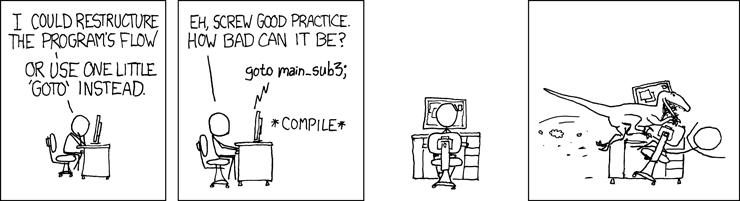
XKCD, http://xkcd.com/292/ by Randall Munroe, CC BY-NC 2.5
The next sample is not that brilliant. It simply jumps around for the sake of demonstration.
More typing, this time into a file called going.cob.
\*\>\*\> going.cob, GnuCOBOL FAQ tutorial\*\>identification division.program-id. going.data division.working-storage section.01 counterpic 9 value 1.procedure division.\*\> normal flow starts heredisplay counter\*\> then jumpsgo to the-bottom\*\> this is dead code, never executeddisplay "Why am I even here?"\*\> the following full stop is required so that GnuCOBOL\*\> knows that this part of the program is terminated and to allow\*\> the next named paragraph to be recognized..\*\> a named paragraph the-bottom.display "Jumped to the-bottom"\*\> return to the caller, in this case the operating systemgoback.end program going.
The sample simply starts at the top, jumps to the bottom and exits. Don’t write programs like this. Except during development phases where you are experimenting and need to jump over a bunch of code that is unrelated to the task at hand, knowing full well that the GO TO will be removed as soon as possible.
To compile and run the job, type cobc -xj going.cob as demonstrated below:
prompt$ cobc -xj going.cob 1 Jumped to the-bottom
GnuCOBOL includes a cobc feature to help find fragments of dead code.
1 2 3 4 5 6 7 8 9 10 11 12 13 14 15 16 17 18 19 20 21 22 23 24 25 26 27 28 29 30 31 32 33 34 35 36 37 38 39 40 41 42 43 44 45 |
*>GCOB*>-<* *> Author: Brian Tiffin *> Dedicated to the public domain *> *> Date started: January 2017 *> Modified: 2018-07-21/03:27-0400 btiffin *> *> Tectonics: *> cobc -x going.cob *> ./going *>+<* *> *> going.cob, GnuCOBOL FAQ tutorial *> identification division. program-id. going. |
prompt$ cobc -x going.cob -Wunreachable going.cob: 31: warning: unreachable statement 'DISPLAY'
Not saying much more about that example, other than it should be short lived. It might help during isolation testing. Probably best to not let your peers see code like that unless they are helping you debug a problem.
More practical use of GO TO is the common idiom of jumping to the bottom of a long sequence of code. If conditions are met so that further processing is no longer required, just GO TO bottom-of-routine-label.
As stated, some purists eschew this idiom, but in practice, using GO can often avoid artificial conditional branching blocks, which can become quite messy when nested in complex code sequences. As a GnuCOBOL programmer, you are free to choose the style you prefer. In some cases you are free to choose the style as dictated by the project manager (or risk expulsion by velociraptor).
Note
Many languages use a keyword of goto, the COBOL verb is actually GO, with an optional TO reserved word. In GnuCOBOL GOTO is a syntax error, use GO label or GO TO label.
Selective evaluation
A third form of branching is the selective evaluation mechanism. A complete set of options is listed and tested, and the program will execute the first set that tests true. In COBOL this uses the EVALUATE verb in tandem with a practically unlimited number of WHEN clauses.
\*\>GCOB\*\>-\<\*\*\> Author: Brian Tiffin\*\> Dedicated to the public domain\*\>\*\> Date started: January 2017\*\> Modified: 2017-01-30/01:15-0500\*\>\*\> Tectonics:\*\> cobc -x evaluating.cob\*\> ./evaluating\*\>+\<\*\*\>\*\> evaluating.cob, GnuCOBOL FAQ tutorial\*\>identification division.program-id. evaluating.data division.working-storage section.01 first-fieldpic 9.01 second-fieldpic X.procedure division.move 1 to first-fieldmove "C" to second-field\*\> inside a when conditional, the subject need not be mentionedevaluate first-field also second-fieldwhen = 1 also = "A"display "1A"when = 1 also = "B"display "1B"when = 1 also = "C"display "1C"display "This is the when block that executes"when = 1 also any display "This is also true, but the first one wins"when other perform no-matchesend-evaluate goback.no-matches.display "No matches found: " first-field ", " second-field.end program evaluating.
EVALUATE is a very powerful selective evaluation statement, even when compared to most modern programming languages. The multiple condition testing allows for very concise multi-branch logic tables. Perfect for the business domain with complex conditions within conditions logic layering.
So, go ahead and type in evaluating.cob. Then run it with:
cobc -xj evaluating.cob
Example run:
prompt$ cobc -xj evaluating.cob 1C This is the when block that executes
A nice feature of WHEN is that the subject field does not need to be mentioned. Each test assumes the field name before the conditional expression.
Using a fragment from the example above:
WHEN = 1 also = "A"
That is conceptually equivalent to
IF (first-test = 1) AND (second-test = "A")
Not only that, but range testing is allowed.
WHEN = 1 ALSO = "A" THRU "Z"
The evaluate verb can compress a lot of conditional testing into a very small table like structure. Multiple statements are allowed within each WHEN block.
Other forms of branching
COBOL includes a few other ways of branching; computed GO TO, ALTER, and DECLARATIVES. These will be covered later.
Loops
Let’s take a look at another form of control flow. The loop. COBOL has a more restrictive take on looping than some other programming languages. All loops are either self managed by labels and GO TO statements, or through the PERFORM verb.
Strict structured programming practitioners treat GO TO as anathema, to be avoided, so let’s start with one of those.
More typing, this time into a file called goloop.cob.
\*\>\*\> goloop.cob, GnuCOBOL FAQ tutorial\*\>identification division.program-id. goloop.data division.working-storage section.01 counterpic 9 value 1.procedure division.loop-here.display counteradd 1 to counterif counter \< 4 then GO TO loop-here end-if.goback.end program goloop.
And a sample run:
prompt$ cobc -xj goloop.cob 1 2 3
Seeing as that listing probably makes some people angry about teaching the GO verb, no more will be said about it. Ok, one thing. Use GO TO with care and understanding, don’t just be jumping around a program because it seems easier at the time.
Loop forms
A side trip. Most programming languages support:
while condition do loop-block do loop-block until condition
COBOL supports:
perform paragraph-label until condition perform until condition loop-block
The default for those in WITH TEST BEFORE which ends up being equivalent to a while NOT condition do loop-block sort of backwards form.
The qualifier clause WITH TEST AFTER creates an equivalent of the do loop-block until condition form.
All the usual forms of loop are possible, but the syntax is not quite as straight forward as some programmers may be accustomed to. For example, a counted loop form is available:
perform varying identifer from n by step until condition
A common idiom in COBOL is a “prime the pump” loop form. Do an initial action that sets the condition and other initial data values. Start the loop body, and then end the loop body with the action that sets the condition. This seems redundant, but it is actually a fairly robust and reliable way of programming loops. You have to duplicate an action, but it often means there are less fencing issues and off by one errors inside the loop body proper. This becomes equivalent to:
pre-condition while condition do loop-block
For now let’s focus on the forms of loops provided by COBOL syntax.
Perform loops
COBOL includes two types of PERFORM loop. Inline and out-of-line. Inline is the modern, out-of-line is an older procedure branch and return form and is still very prevalent in COBOL programs.
First an out-of-line procedure PERFORM. Named paragraphs and sections are called procedures in COBOL. Sadly they do not accept arguments, nor can they return results. Most COBOL programming comes down to side effect by changing globally accessible variables. Not completely terrible, all things considered, but it is a cause of more verbosity in COBOL, and a reason to show care and attention when developing larger programs.
Functional programming purists probably cringe at the thought of programming via side effect, but it has suited business programming for over 50 years now and banks still seem to keep all our account balances properly tallied.
Out-of-Line Perform
This is the type of PERFORM that was in COBOL-60
\*\>\*\> perform-loop.cob, GnuCOBOL FAQ tutorial\*\>identification division.program-id. perform-loop.data division.working-storage section.01 counterpic 9 value 1.procedure division.\*\> normal flow starts heredisplay counter\*\> loop using a procedure subroutineperform increment-counter until counter \> 7\*\> show the resultdisplay counter\*\> return to the to the operating systemgoback.\*\> a named paragraph increment-counter.add 1 to counter.end program perform-loop.
More typing as part of learning COBOL the hard way. Then compile and run with:
cobc -xj perform-loop.cob
An example run:
prompt$ cobc -xj perform-loop.cob 1 8
See if you can spot one of the glaring maintenance problems with this code? It has to do with the definition of counter.
The counter variable is defined as pic 9. That means the range of legal values that can be stored in the identifier is 0 through 9. 10 would be a size error condition. Testing for greater than or equal to 10 would never work. The value in counter is limited to a maximum value of 9. If a maintainer was told to increase the loop condition, the counter variable definition would also need to be changed. Increasing a condition test will always imply revisiting the definition of the variable and making additional adjustments if necessary.
Here is a fairly hard to spot infinite loop:
\*\>\*\> perform-loop-infinite.cob, infinite loop error\*\>identification division.program-id. perform-loop-infinite.data division.working-storage section.01 counterpic 9 value 1.procedure division.display counter\*\> loop will never terminate, counter limited to max of nine.perform increment-counter until counter \> 10\*\> show the result, which will never happendisplay counter\*\> return to the to the operating system, never happensgoback.\*\> this add could have an ON SIZE ERROR clauseincrement-counter.add 1 to counter.\*\> this program will need operator interventionend program perform-loop-infinite.
You can try it, if you’d like, but be prepared to press Ctrl-C to abort the run, because this code will just spin forever. counter tries to be incremented from 9 to 10, then the rules of COBOL (and pic 9) truncates the value to 0 and the perform loop never gets a chance to finish. Looping from 0 to 9 over and over again due to the limited storage size (and no size error testing).
In-Line Perform
This type of PERFORM was introduced with COBOL-85. COBOL-85 has had quite the run, and is still a de facto standard COBOL for many installations and production shops. It was extended with intrinsic functions in 1989 with corrections published in 1993. COBOL has been officially superseded by COBOL-2002 and COBOL-2014 standard specifications, but there is still a lot of COBOL-85 source code being maintained. The NIST test suite is based on COBOL-85 with the extensions from 1993.
Below are some examples of inline perform loops.
\*\>\*\> inline-perform.cob, GnuCOBOL FAQ tutorial\*\>identification division.program-id. inline-perform.data division.working-storage section.01 counterpic 99.procedure division.\*\> an inline perform loopperform varying counter from 1 by 1 until counter \> 10display counterend-perform\*\> return to the to the operating systemgoback.end program inline-perform.
More typing. Create inline-perform.cob. Then compile and run with:
cobc -xj inline-perform.cob
An example run:
prompt$ cobc -xj inline-perform.cob 01 02 03 04 05 06 07 08 09 10
Syntax errors
Syntax errors are common when developing programs. A misspelt word, a missed punctuation character, or some critical ordering mix up. The cobc compiler will tell you the line numbers where trouble brews, along with an explanatory error message.
Unfortunately, some syntax errors lead to an out of synch compile pass, and a whole raft of unrelated error messages may ensue. Start at the first one, fix it, and then recompile. Keep repeating the Edit -> Compile -> Edit -> Compile cycle until all syntax errors are corrected.
Typos happen. The compiler will tell you about them. It is very rare to have programs work on the very first compile. Get used to that as a normal part of software development. And as a reminder to always test things, even after what seem like insignificant changes. Typos happen.
Logic errors
Aside from syntax errors, logic errors are much more insidious. The compiler will dutifully compile programs that won’t do the correct thing. This is where the human mind wins out over computers. Adding numbers together at speed is a computer strength. Knowing what numbers to add together is the human advantage. Informing a computer of what numbers to add together when (and how) is the job of the computer programmer. Along with support from others to ensure that the calculations are done properly and are of practical use is the domain of software development.
GnuCOBOL has quite a few tools to assist with testing and debugging programs. There are statement tracers to allow capturing the steps taken and in what order. There are low level debuggers, such as gdb that can be used for very detailed analysis of what is happening during a program run. There are profiling tools to help find where performance bottle necks are occurring. And a host of other automated and manual techniques that come into play during the verification and validation of COBOL programs.